Be part of the moment a shopper discovers what’s next. Connect your brand with people exploring products, comparing prices and finding their next purchase.
Built into the shopping journey. Across web and app.
In the right place.
MacBook Pro
9:41▂▄▆ ▰
✦
MADE FOR DISCOVERYYour brand belongs here.
↗
FROM A FIRST LOOKTo their next possibility.
Thoughtful placements. At different moments of discovery.
04Advertising formats
09Placement positions
02Surfaces. Web + app.
The placement studio
Different formats. One thoughtful journey.
See exactly where your brand can show up. Explore every position in the context of the AmezPrice experience.
9:41▂▄▆ ▰
Sponsor Card · TopSample creative
01 / 04SPONSOR CARD
In-app · Dashboard
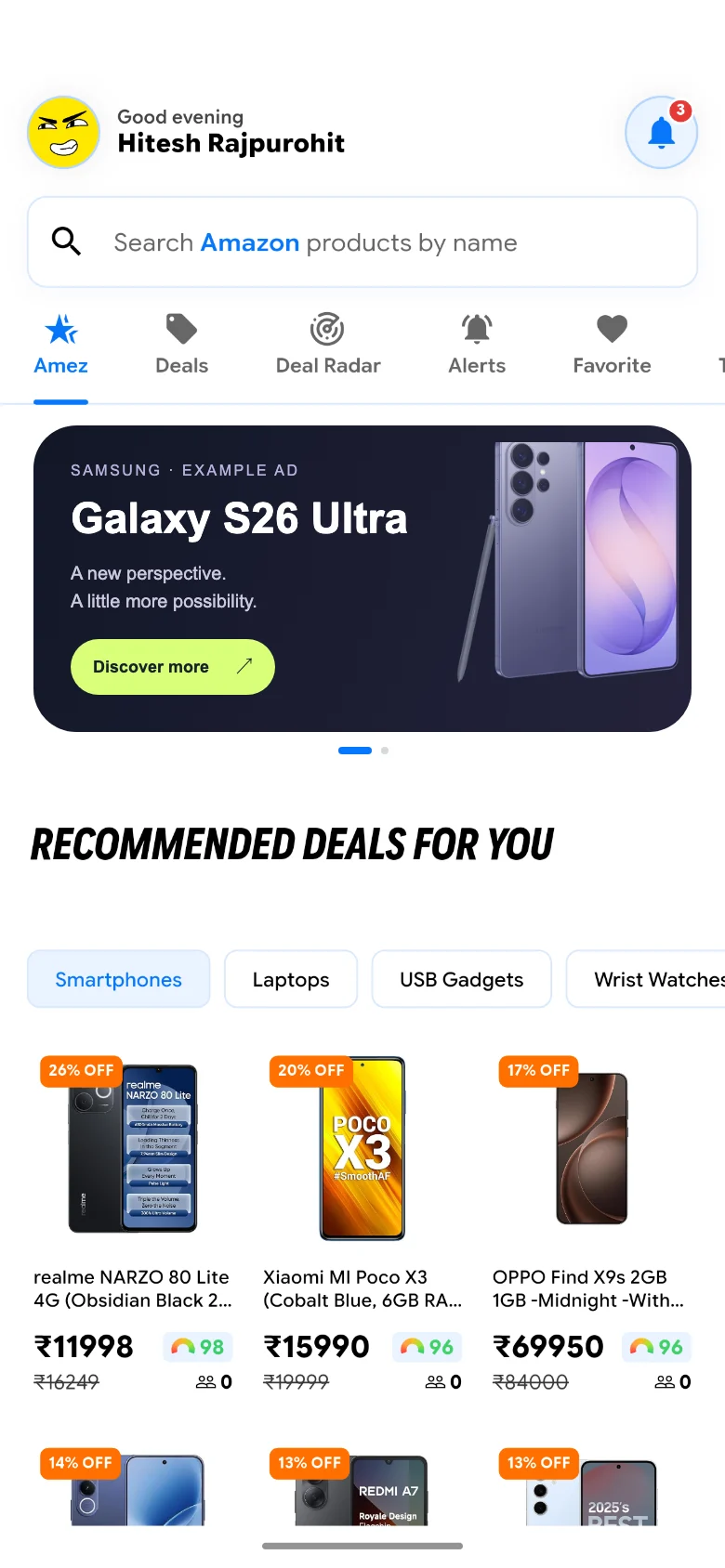
Your story. In the feed.
A visual introduction to your brand, right inside the AmezPrice dashboard. Bring together a heading, supporting copy, a background and a clear call to action.
Before Recommended Deals, at the start of the app dashboard.
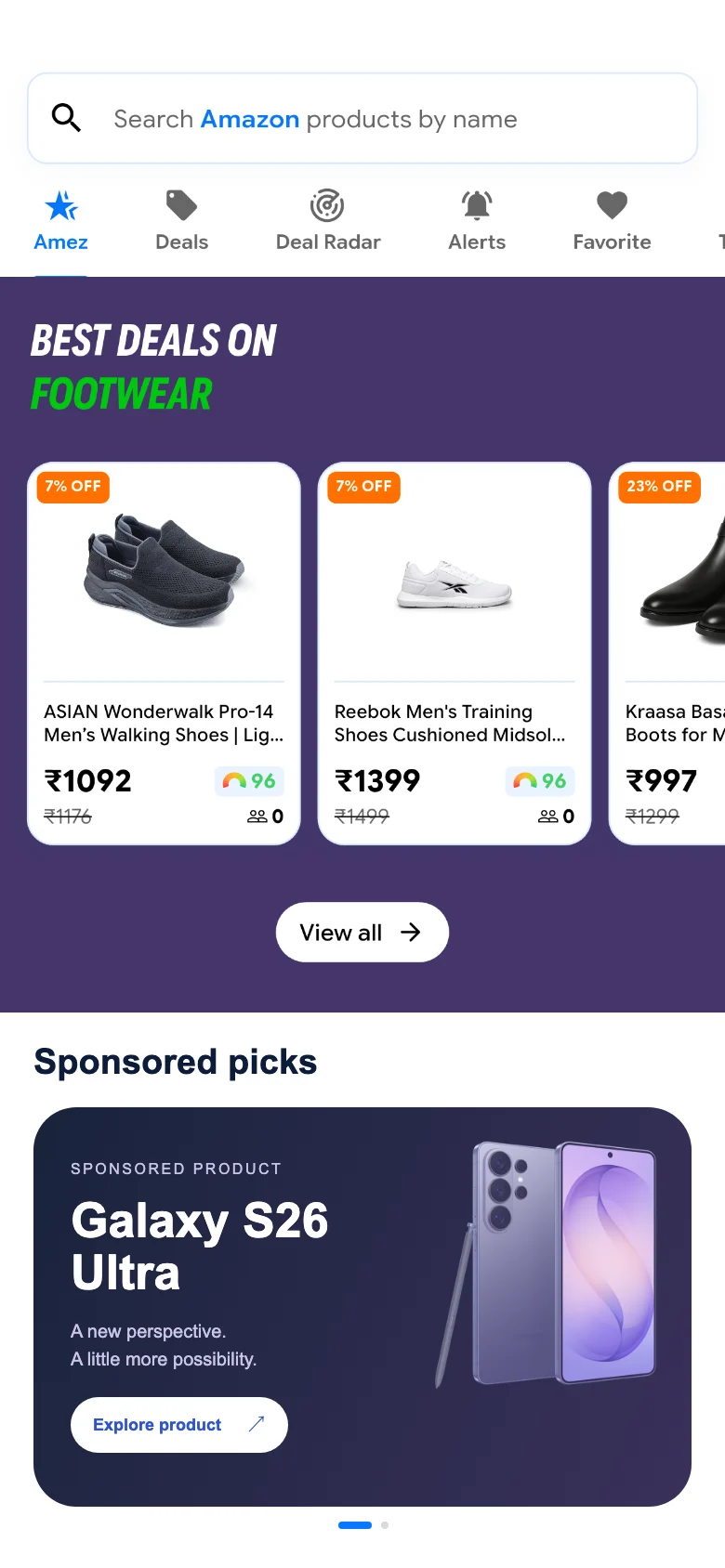
Give a selected product its own space among shopping discoveries. A dedicated sponsored card pairs the product image and information with a direct path to its product page.
After Top Deal Spotlight and before Recently Viewed.
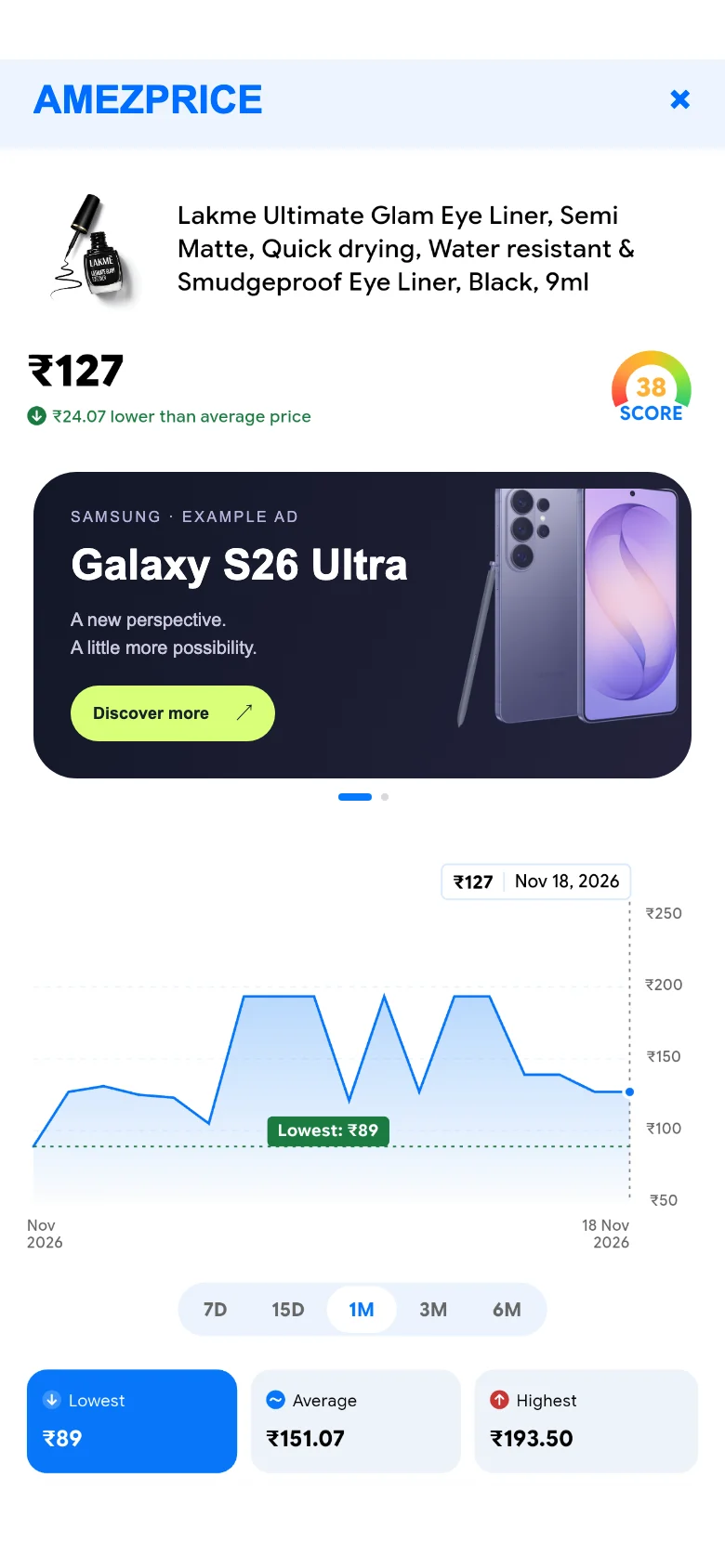
Meet shoppers while they explore a product and its recorded price history. Image placements appear in the app product experience, including supported products opened through Amazon sharing.
Below the main product information, before the price-history content.
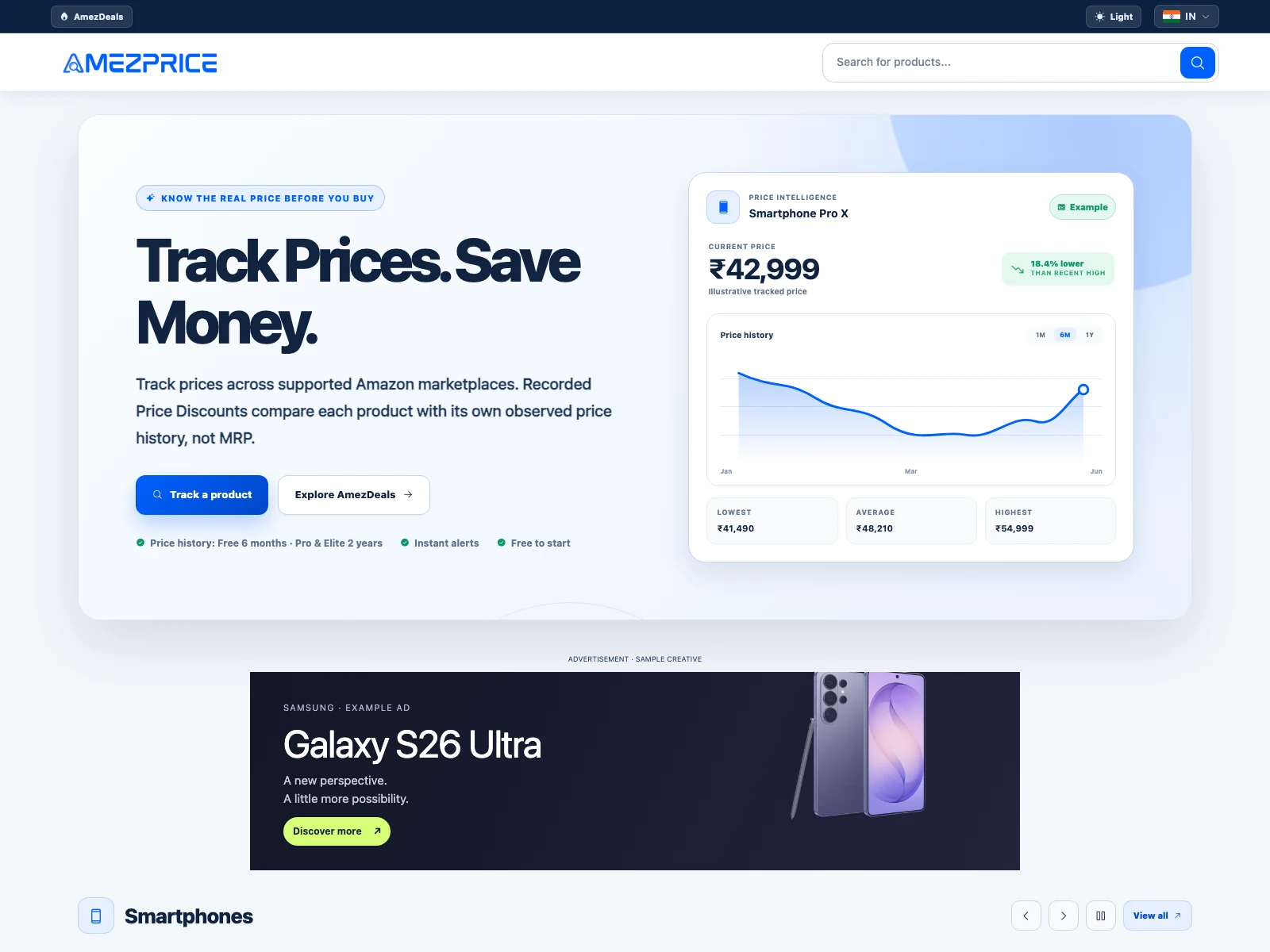
Be visible below the homepage hero and above the main product card on the website. Supply a dedicated desktop banner and mobile creative for the same Top placement.
Desktop homepage · 970 × 250 billboard, immediately below the main hero.
Homepage and product-page visibility
Separate desktop and mobile image creatives
Active campaign creative replaces AdSense in these slots
Actual AmezPrice screens with example creatives. Device frames are presentation mockups. Native app available on Android.
Why AmezPrice
Meet shoppers with something on their mind.
From a first discovery to a closer comparison, make your brand part of the experience.
⌕
A discovery mindset.
Appear where people explore deals, browse collections and look for products worth considering.
▦
A place that makes sense.
Choose a format that fits the moment: a brand story, a sponsored product or a clear visual banner.
◎
A campaign with a plan.
Agree on placements, creative, markets and dates. Build a campaign around what you want shoppers to discover.
A canvas for your creative
Pixel perfect. From desktop to mobile.
Web Banner · Top has fixed image sizes. Pick a desktop format and supply a separate mobile creative.
Desktop / Billboard970 × 250 px
A taller canvas for your brand story.
Desktop / Wide banner970 × 90 px
A compact alternative in the same Top slot.
Mobile website / Rectangle300 × 250 px
Creative sized for a smaller screen.
Web banners: JPG, PNG or WebP, up to 10 MB per image. Product Page image creative: 1920 px wide, variable height.
From idea to placement
Let’s make your next move.
A clear brief. The right format. A campaign that fits your brand.
01
Tell us what you have in mind.
Share your brand, products, audience and preferred campaign dates.
02
Find your place.
Choose formats and positions, discuss availability and pricing, then prepare the creative assets.
03
Set the campaign in motion.
We review the placement details and schedule approved creative for your agreed campaign dates.
A little more detail
Good questions. Clear answers.
Where can my ads appear?
Choose Sponsor Cards or Sponsor Products at Top, Middle and Bottom positions in the app dashboard; Top or Bottom Product Page image ads in the app; or Web Banner · Top on the desktop and mobile website. These are nine placement positions across four formats.
Can I choose a country or product category?
App Sponsor Cards, Sponsor Products and Product Page image ads support country selection from enabled marketplaces. Product Page image ads also support category and subcategory selection. Web Banner · Top uses a shared website placement with separate desktop and mobile creatives.
How are campaign dates handled?
Campaigns have an advertiser name, start date, end date and enabled status. Dates follow Indian Standard Time (IST), from the start of the first day through the end of the final day. Creative details are saved separately for each placement.
Which banner image sizes do you accept?
Web Banner · Top accepts either 970 × 250 or 970 × 90 pixels for desktop, plus a separate 300 × 250 pixel mobile image. Other dimensions are rejected for this placement. Product Page image ads use a 1920-pixel-wide image; the height can vary.
Are these live Samsung advertisements?
No. These are placement demonstrations using sample Galaxy S26 Ultra creative. Web previews were captured from the AmezPrice website and mobile previews use AmezPrice app captures with example creative. They do not imply a Samsung partnership, current campaign, price or offer. iPhone and MacBook frames are presentation mockups; the native AmezPrice app is currently for Android.
How do I book a campaign?
Contact the AmezPrice team with your brand, preferred placements, target countries, dates and creative assets. We will discuss availability, suitability and pricing before your campaign is scheduled.
Your next campaign starts here
Let’s find your brand’s next moment.
Tell us what you’re building. We’ll help you explore the placements that fit.